 STRIPED DICE
Fog, lighting, walls and doors
Hide the map from players, reveal it as they go, and let sight be computed by walls and doors.
Two veils, either or both.
Fog
Fog hides the whole map from players. The Reveal tool (F) draws, click by click, a polygon (Enter to finish): the area becomes visible. Areas may overlap. "Cover all" puts fog back everywhere. The GM sees the map dimmed, never hidden.
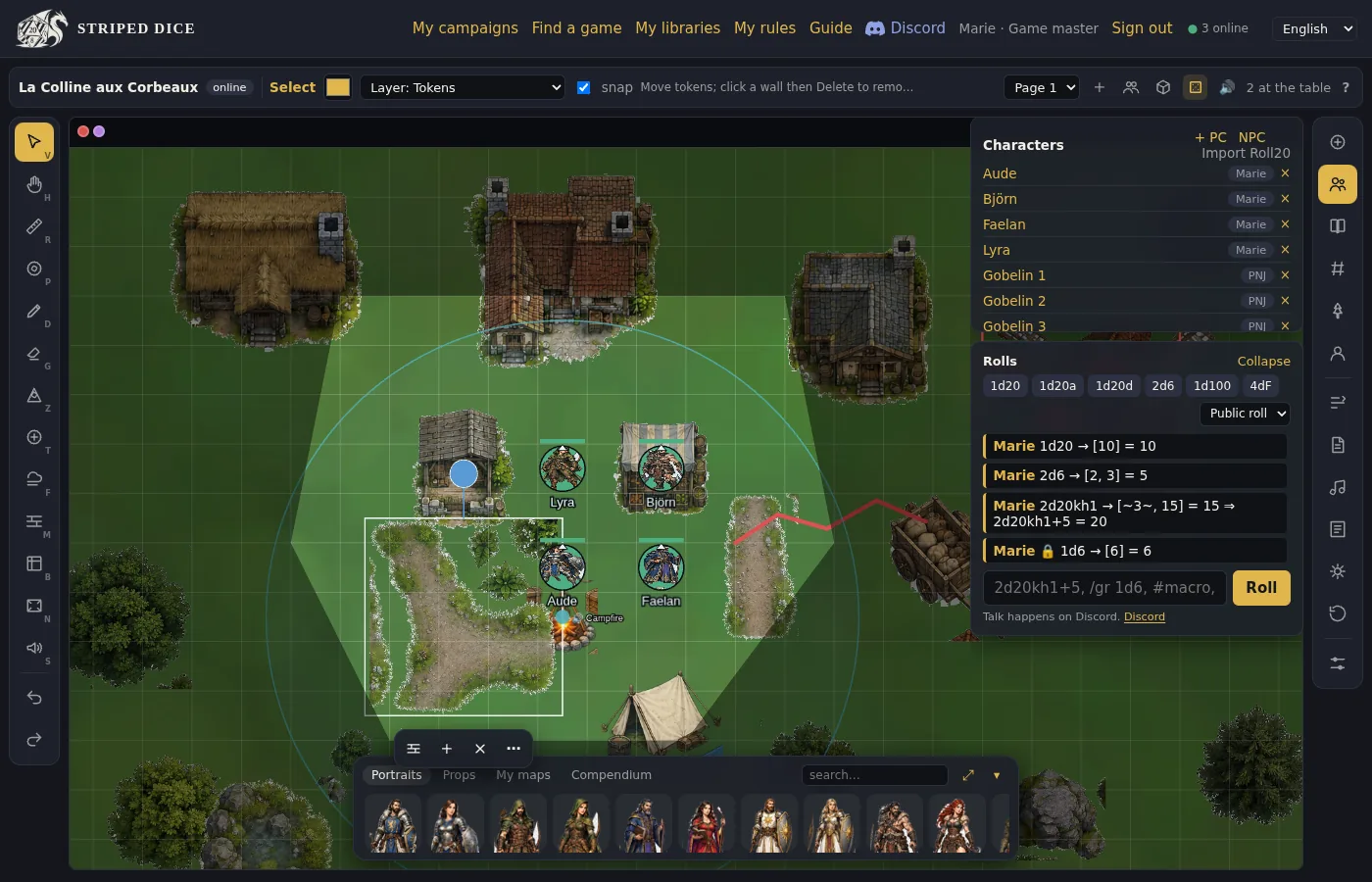 GM view: the map dimmed, the revealed area in the clear.
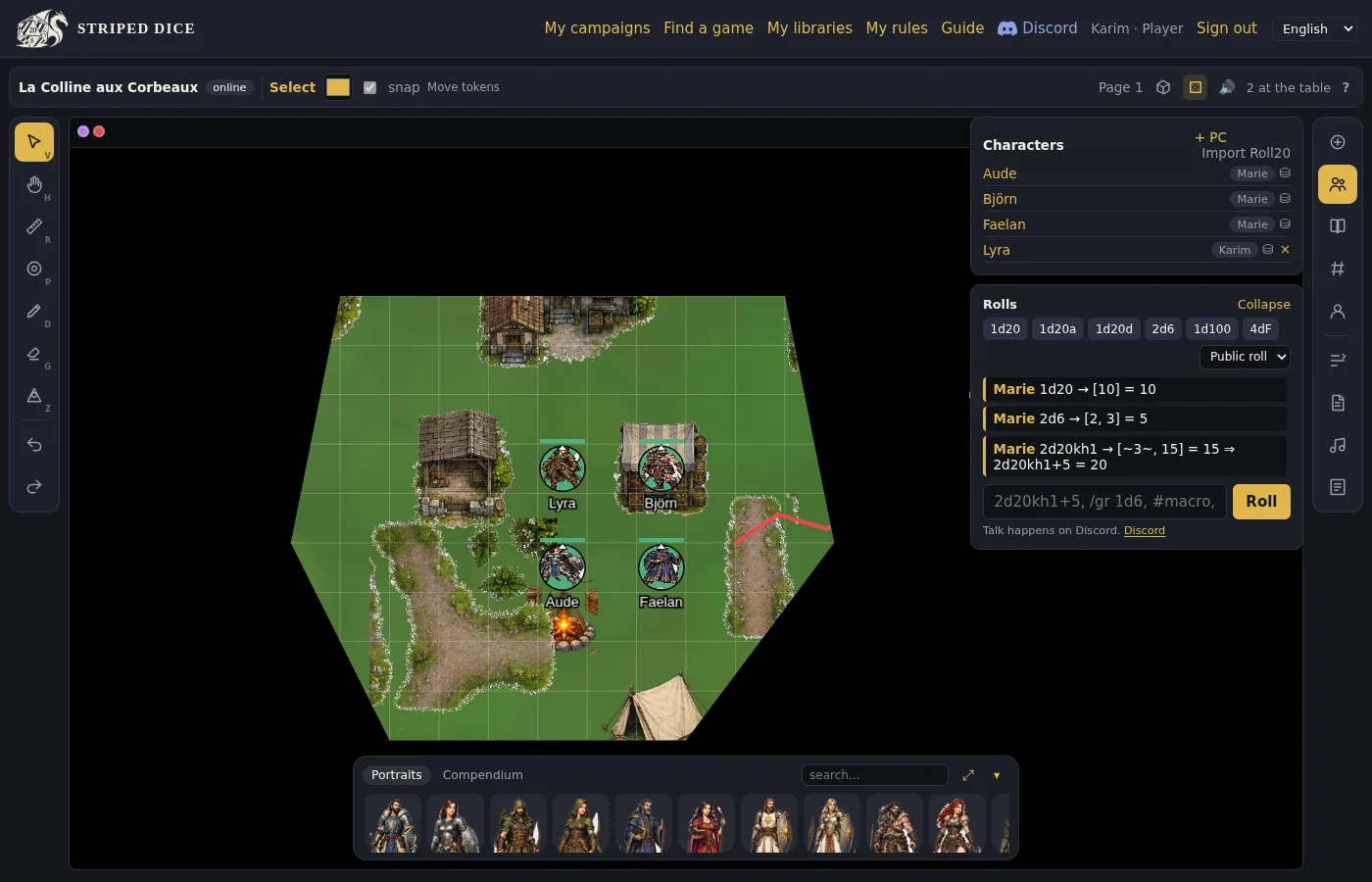 The same scene seen by a player: only the revealed area exists.
It is the simplest mode: you reveal what the party discovers.
Lighting by walls
Lighting makes sight dynamic: a player only sees what their tokens see, within a vision radius (in squares, adjustable by default and per token), stopped by walls.
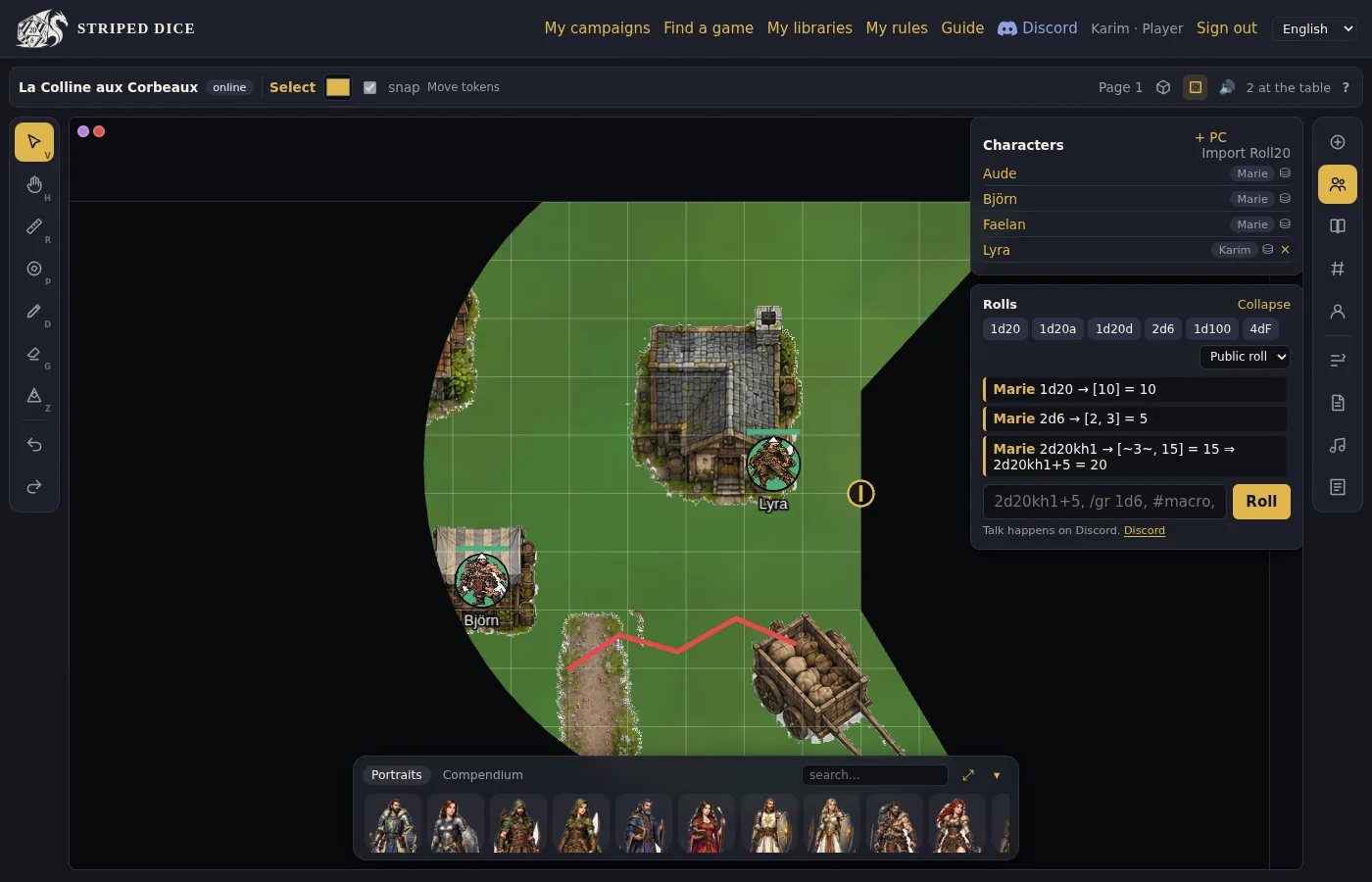 Lighting by walls seen by a player: her vision is cut by the mill walls, the door is marked.
The Walls tool (M) draws polylines (Enter to finish). Click a wall in Select mode to select it: Delete removes it, and the panel that opens turns it into a door.
Doors
A door is a wall that opens:
- closed: blocks sight, icon visible to all, a player can open it with a click;
- open: lets sight through;
- locked: only the GM can open it;
- secret: invisible to players (a plain wall for them), the GM reveals it by opening it.
The icon sits at the middle of the wall; one click opens or closes. Everything recomputes at once for everyone.
Tips
- On a dungeon map, trace corridor and room walls once, then play with the doors.
- For an outdoor scene, fog is often enough.
- The default vision radius is set with the Walls tool ("vision"); a token can have its own.