 STRIPED DICE
Tokens, portraits and character sheets
Create tokens, give them a portrait, link them to a sheet, manage HP and conditions.
Tokens
A token stands for a character, a monster or an object on the map. Place a token (T) creates one; the Portraits dock creates a dressed one with a click. A token moves by dragging, resizes with Ctrl + wheel, turns with Shift + wheel or its handle.
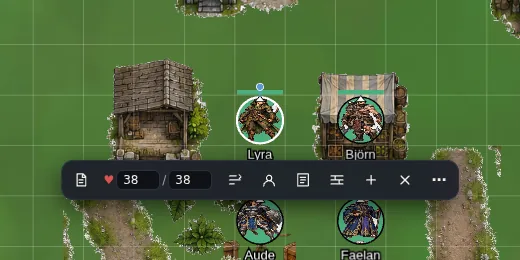 The action bar under the selected token.
The bar under the selected token gives: sheet, HP, conditions, portrait, initiative, lock, duplicate (Ctrl+D), delete, and "⋯" for every option (layer, aura, vision, image by address).
A player only handles their own tokens; the GM handles everything.
Portraits
Portraits come from the shared library (adventurers, villagers and NPCs) or from My libraries, where you upload a single portrait or a whole sheet, cut out automatically. There is no upload from the table: everything goes through the library, so you find it again from one campaign to the next.
 The dock portraits: a click creates a token, a drag places it.
Sheets
The Characters panel creates a PC (for a player) or an NPC (GM). The sheet comes from the campaign's system: sections, attributes, skills, computed formulas, and the 🎲 roll buttons.
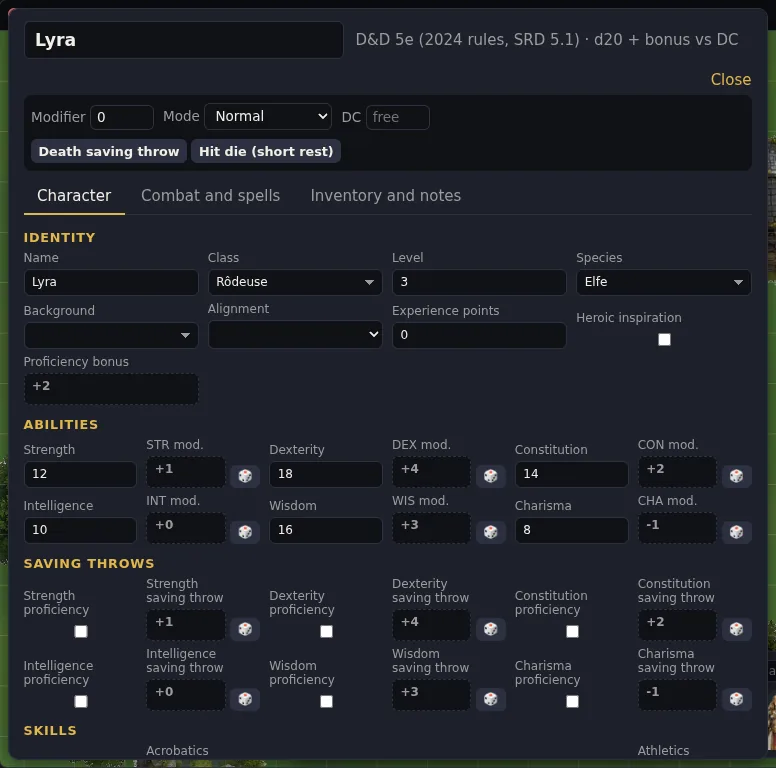 A D&D 5e sheet: every clickable value rolls its dice.
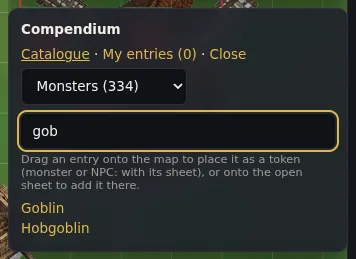 The system compendium: drag a monster onto the map, it arrives with its sheet.
Link a sheet to a token: open the sheet, select the token, "Link the open sheet". From then on the token's name and HP bar follow the sheet, and HP changed on the token update the sheet.
From the Compendium, a monster dragged onto the map arrives with its sheet and token already linked.
HP and conditions
HP change from the token bar, the sheet or the turn tracker. Sixteen conditions (poisoned, prone, invisible, unconscious...) are set from the bar; they show as dots around the token.
Roll20 import
The Characters panel accepts a sheet JSON exported from Roll20 (D&D 5e): abilities, HP, AC and speed are carried over.