 STRIPED DICE
Dice, macros and roll modes
The dice grammar, rolls from the sheet, macros, roll modes, rolls inside handouts and rollable tables.
Rolling
The Rolls panel has quick dice. In the roll field, 2d20kh1+5 (or /r 2d20kh1+5) rolls an expression: d20, 2d6+3, 4dF, 1d100, 2d20kh1 (keep highest), kl1 (lowest), ! (exploding), 1d20a (advantage), 1d20d (disadvantage). The feed only takes rolls: free text is refused, talk happens on Discord.
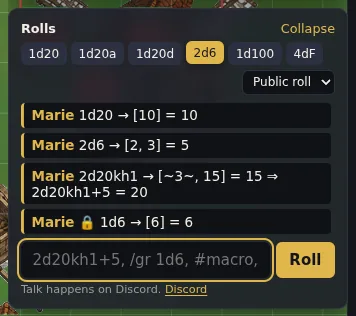 Quick dice, roll field and table feed; the padlock marks a GM roll.
From the sheet, every ability, skill or attack has its 🎲 button: the system applies its mechanic (d20 against a DC, d100 under the skill, dice pools...). The button pulses while the roll is on its way.
Roll modes
The selector next to the dice applies to all your rolls:
- public: everyone sees;
- GM: you and the GM;
- blind: the GM only; you know you rolled but not what you got;
- self: you alone, even the GM does not see it.
Shortcuts in the roll field: /gr, /br, /sr. An NPC's rolls always go to the GM.
Macros
The Macros panel stores expressions under a name: #attack in the roll field rolls it. A macro can ask a question: /r 1d20+?{Bonus|5}. The GM can share a macro with the campaign.
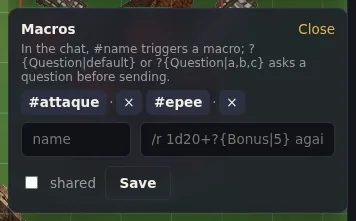 The Macros panel: #attack rolls the macro, with its prompts if any.
Rolls in handouts
In a handout, write [[2d6+3]]: the reader sees a button, one click rolls it with the handout's title.
Rollable tables
In the Compendium, "My entries" tab, choose the Table type and write one line per result:
1-3: A goblin
4-5: Two wolves [[1d4]]
6: An ogre and {{Loot}}
1-3: sets a range, 3x a weight, otherwise one chance each. [[dice]] rolls dice inside the result, {{Name}} rolls on another table. Roll button, or /table Encounters in the roll field. The GM copies a table into the campaign so players can roll on it.
3D dice
The "dice" button in the top bar rolls the dice in 3D over the map. The result always comes from the server: the dice merely land on the right face.
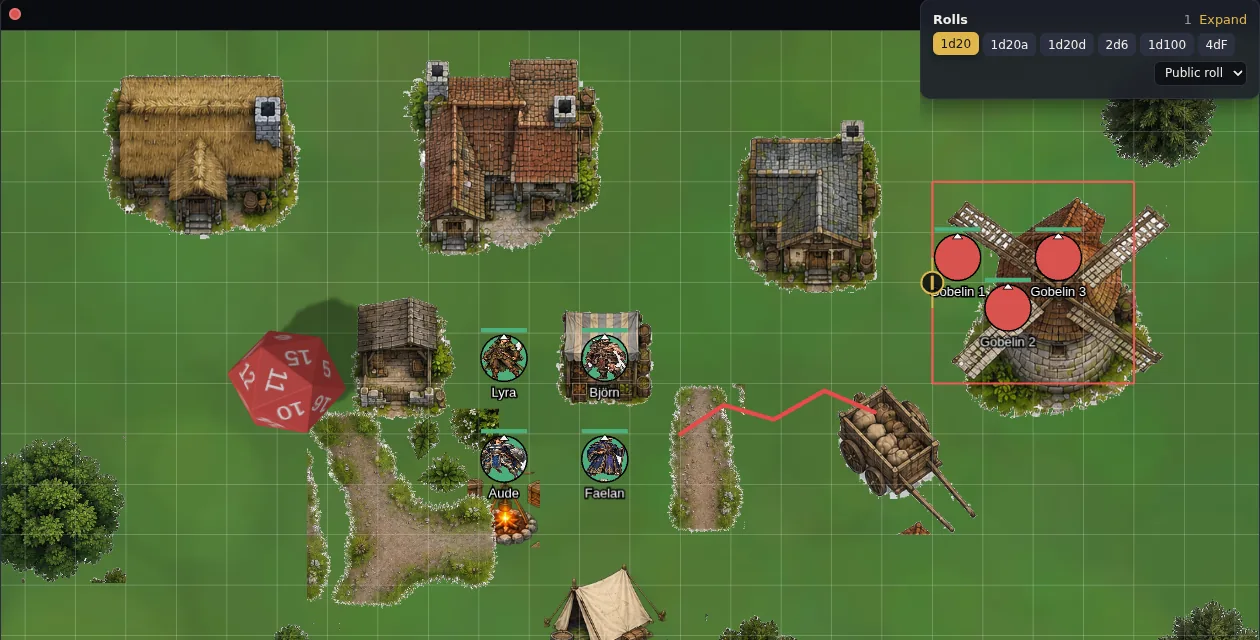 3D dice roll across the map on every roll.