 STRIPED DICE
Guide
The mobile companion
Playing from a phone: the sheet, the dice, the table feed and a read-only map.
On a narrow screen the room opens the companion by itself (also from My campaigns, 📱 icon). It has four tabs:
- Sheet: your characters, the full sheet with its roll buttons; a tap sends the roll to the table;
- Dice: quick dice, free expression, your macros, the roll mode;
- Rolls: the table feed in real time, with the turn announcement during a fight;
- Map: the map read-only, move your token with a finger, zoom by buttons.
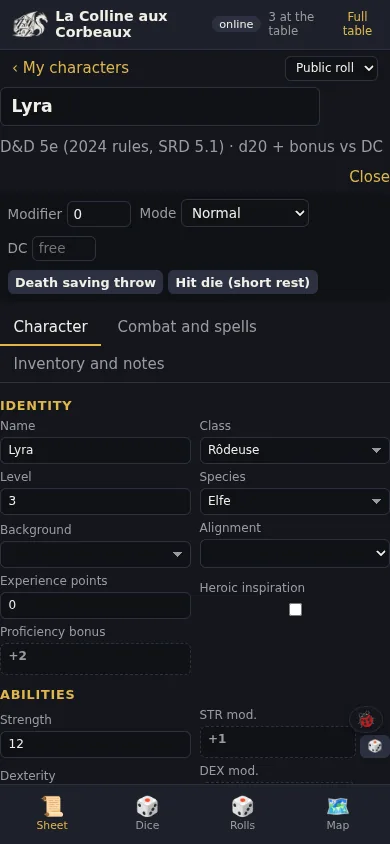 Sheet tab: the whole character, its roll buttons.
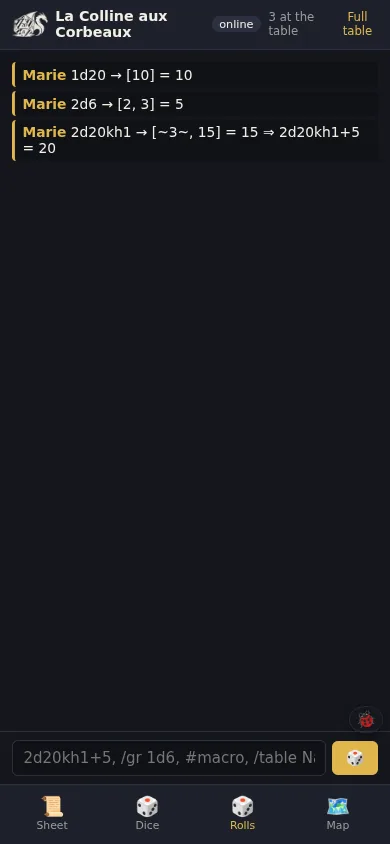 Rolls tab: the table feed in real time.
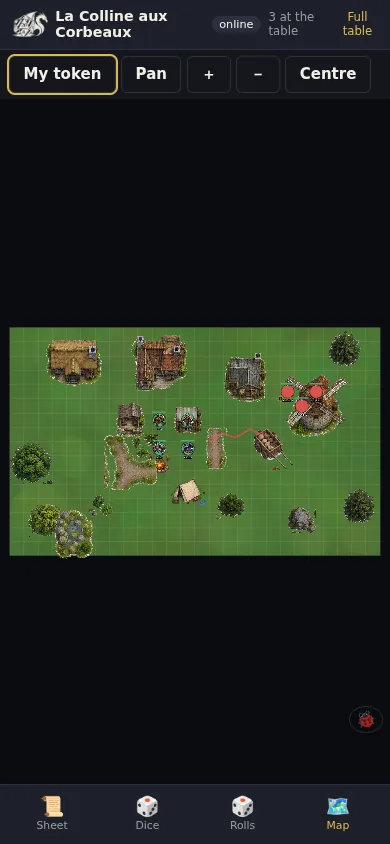 Map tab: the map in read mode, your token under your finger.
The companion talks to the same server as the room: what you do shows up at once for the others. "Full table" opens the whole room if you insist on having everything on your phone.
For the GM, the companion is a handy second screen: an NPC's sheet on the phone, the map on the computer.